
Tinder Review: Features, Subscriptions, Bios, and Account Setup
Online dating transformed dramatically when Tinder launched its swipe mechanic over a decade ago. Today, it remains the largest social discovery platform in the world, connecting hundreds of millions of users across virtually every continent. Whether your goal is casual dating, serious romance, or expanding your social horizons while traveling, understanding how to use Tinder efficiently saves immense time and frustration.
If you are wondering what is Tinder, how does Tinder work, and is Tinder a good dating app for your specific goals, this comprehensive manual breaks down everything: profile optimization, hidden algorithms, pricing tiers, privacy features, and subscription management.
What is Tinder and how does it work?
Tinder is a location-based mobile dating and social discovery platform that connects people based on geographical proximity, mutual attraction, and shared personal preferences. The core experience is driven by card-swiping:
- Swipe Right: Indicates attraction or interest in getting to know someone.
- Swipe Left: Passes on the profile and displays the next prospective match.
- Mutual Match Requirement: Conversations can only occur when two people both swipe right on each other. Neither party can send an unsolicited direct message without this mutual consent, which eliminates unsolicited inbox spam.
Getting started: Tinder sign up and account setup
Completing your Tinder sign up requires an iOS or Android device or a web browser. The system verifies identity through:
- A valid mobile telephone number capable of receiving SMS verification codes.
- Third-party authentication via Google account or Apple ID.
- Core profile information, including birth date, biological sex, sexual orientation, distance radius, and at least two profile photos.
Tinder login and Tinder online
While primarily recognized as a mobile experience, users can access the platform via Tinder Online on any desktop or laptop browser at tinder.com.
Performing a Tinder login or Tinder sign in on the web gives you full access to your matches, chat dialogues, and account settings. The web version provides a discreet interface, keyboard typing convenience, and lower mobile battery consumption.
Modifying basic account info: how to change name and age
A frequent question among newcomers is how to change name on Tinder or how to change age on Tinder after registration:
- Age: Tinder locks your birth date permanently upon account creation to prevent predatory behavior and minors from accessing adult pools. You cannot modify your age in your settings. If an age error was made upon signup, the only resolution is to permanently delete your profile and register a fresh account with accurate documentation.
- Name: If you signed up via phone number, your first name is locked and cannot be changed through profile edit menus. If you registered via Facebook, updating your legal name on Facebook will eventually synchronize with Tinder. For standalone accounts with an incorrect name, starting fresh with a new account is required.
Free vs. paid: do you have to pay for Tinder?
A foundational question for new users is simple: is Tinder free, or do you have to pay for Tinder?
Tinder operates on a freemium foundation. Anyone can download the app, browse local singles, match, and exchange text messages without paying a cent. However, free accounts face daily operational constraints:
- How Many Likes Do You Get on Tinder? Free accounts receive a capped daily swipe allowance, typically ranging between 50 to 100 right swipes, depending on geographic region, account age, and swiping velocity.
- When Do Tinder Likes Reset? Swiping allowances reset on a rolling 12-hour or 24-hour cycle from the moment your daily limit was reached.
How much does Tinder cost? Subscription tiers explained
For singles who want to remove limits and unlock premium tools, Tinder offers three structured tiers: Tinder Plus subscription, Tinder Gold, and Tinder Platinum.
| Feature Privilege | Free Tier | Tinder Plus | Tinder Gold | Tinder Platinum |
| Daily Swipes | Limited | Unlimited | Unlimited | Unlimited |
| Rewind (Undo accidental swipe) | No | Unlimited | Unlimited | Unlimited |
| Passport Mode (Change location) | No | Yes | Yes | Yes |
| Ad-Free Browsing | No | Yes | Yes | Yes |
| Likes You (See who swiped right) | Blurred | Blurred | Full Access | Full Access |
| Curated Daily Top Picks | 1 per day | 1 per day | Full Access | Full Access |
| Free Monthly Super Likes | None | None | 5 per week | 5 per week |
| Free Monthly Boost | None | None | 1 per month | 1 per month |
| Priority Likes (Seen first) | No | No | No | Included |
| Message Before Matching | No | No | No | Attach note to Super Like |
Tier costs and price variations
Prospective members frequently ask how much is Tinder Gold, what is the exact Tinder Gold price, and how much does Tinder cost across tiers:
- Tinder Plus: Typically ranges from $9.99 to $14.99 per month.
- Tinder Gold: Generally costs between $24.99 and 29.99permonth,withsignificantsavingson6-monthor12-monthpackages(reducingthemonthlyaverageto~12.50–$15.00).
- Tinder Platinum: Ranges from $34.99 to $39.99 per month, targeting high-volume users who want algorithmic priority.
Pricing varies based on regional currency conversions, periodic platform adjustments, and user demographic brackets.
Is Tinder Gold worth it?
Whether Tinder Gold is worth it depends on your lifestyle. If you live in a densely populated metropolitan area or travel frequently, the Likes You grid saves hours of manual swiping by letting you match instantly with people who already expressed interest. For users in low-density rural areas with limited profiles, the free version or Tinder Plus usually provides sufficient utility.
Boosts, Super Likes, and special promos
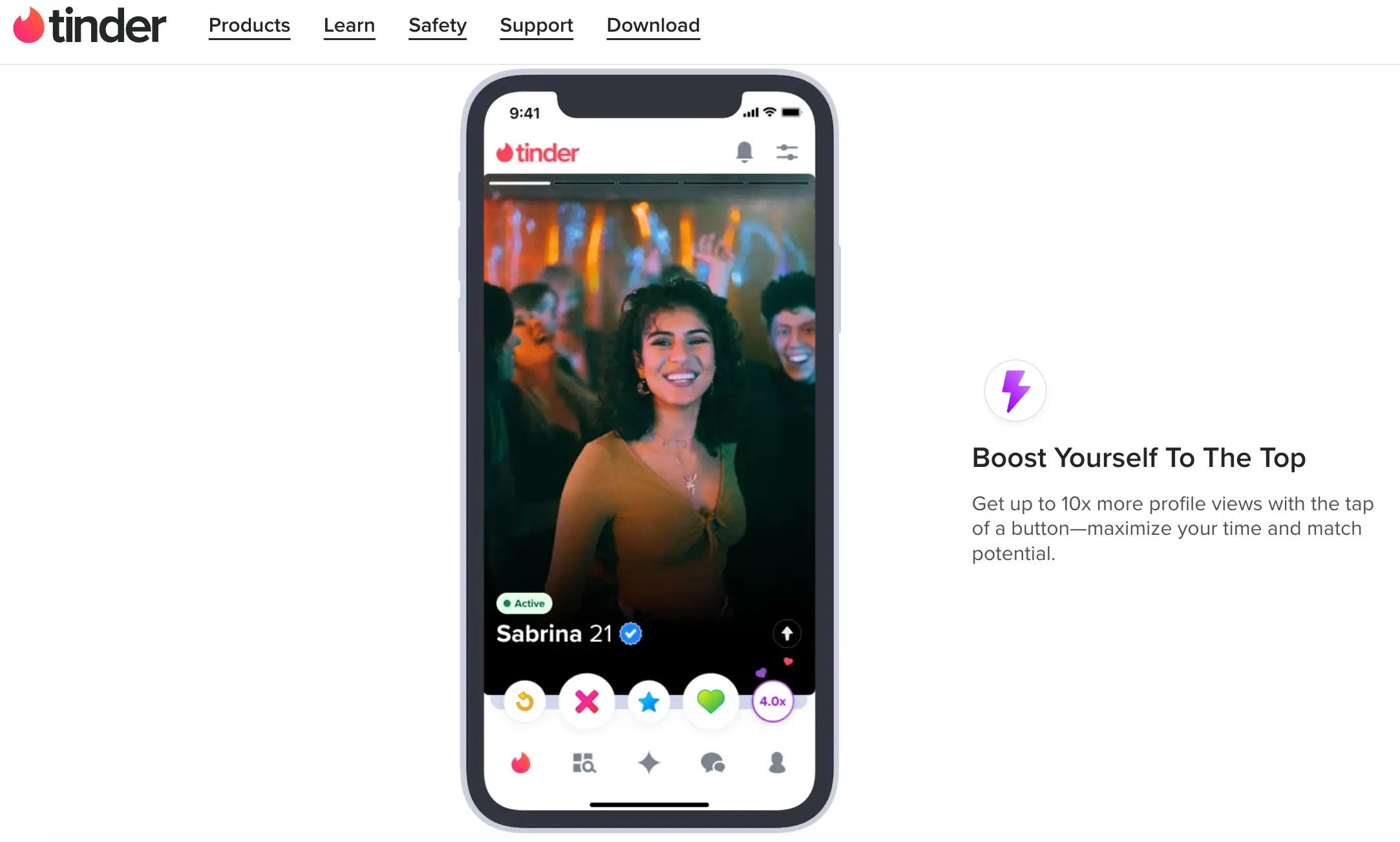
- Tinder Boost: Pushes your profile near the top of local discovery feeds for 30 minutes, increasing profile impressions up to 10 times. It is best deployed during peak usage hours (Sunday through Thursday, 8:00 PM to 10:00 PM).
- Tinder Super Like: Sends an unmistakable blue star notification to a recipient, alerting them that you are exceptionally interested before they swipe.
- Discounts and Free Deals: Be wary of third-party websites offering free Tinder Gold or an unverified Tinder promo code or Tinder discount code. Legitimate discounts are delivered directly inside the app, during seasonal marketing drives, or via email retargeting campaigns for inactive accounts.
Tinder profile creation: photos, bios, and troubleshooting
Your profile is your digital calling card. Crafting an intentional visual and written presentation drastically improves inbound match rates.
Best Tinder bios and clever copy ideas
A great bio acts as an effortless conversation starter. Avoid blank bios, demands, or cynical complaints about online dating.
Here are field-tested bio formulas tailored to different communication styles:
Funny Tinder bios & witty Tinder bios
- “Pros: makes incredible Sunday morning pancakes, can assemble IKEA furniture without crying. Cons: will steal your oversized hoodies.”
- “Currently holding an active debate on whether cereal counts as cold soup. Serious inquiries only.”
- “Looking for someone to help me convince my family that I’m doing great socially.”
Clever bio for Tinder & best bios for guys on Tinder
- “Two truths and a lie: I’ve run an international marathon, I can bake authentic sourdough from scratch, and I’ve never seen a single Star Wars film. Guess right and dinner is on me.”
- “Working in software design by day, attempting amateur woodcarving by night. Looking for a partner in crime for weekend farmers markets and hole-in-the-wall taco spots.”
A simple Tinder profile template
- Snapshot of career, daily focus, or major passion
- Quirky personal skill, niche interest, or specific weekend hobby
- Low-stakes open question or playful debate topic as a call to action
Visual troubleshooting: why do my pictures look blurry in Tinder preview?
A common user frustration is noticing that uploaded images lose crispness. If you are asking why do my pictures look blurry in Tinder preview, consider these causes:
- Image Compression Algorithms: Tinder compresses files heavily to ensure fast loading on mobile networks. If you upload a massive 4K file, the downsampling can cause pixel distortion.
- Aspect Ratio Mismatch: The native display ratio is 7:10 (or 640×900 pixels). If you upload an extreme wide landscape or panoramic image, the software crops and zooms into the center, degrading resolution.
- Resolution Fix: Resize and crop your images prior to uploading to 800×1000 pixels at 72 DPI in standard RGB color formatting.
Photo verification: Tinder selfie under review
To combat impersonation and fake accounts, Tinder encourages biometric selfie verification.
- The Process: You take a series of dynamic video selfies copying specific angles shown on screen.
- How Long Does Tinder Selfie Review Take? A standard Tinder selfie under review typically takes between 15 minutes to 2 hours. During system maintenance or high-volume verification periods, processing can occasionally stretch to 24 hours. Once confirmed, a blue checkmark badge appears on your profile card.
Messaging strategies: openers, icebreakers, and first contact
Matching is only the first hurdle; converting a mutual match into an engaging conversation requires an effective opener.
Best Tinder openers and Tinder opening lines
The days of generic greetings like "Hey" or "What's up" leading to dates are long gone. Engaging dialogue requires specific reference points.
- Observe the Background Details: Look closely at their gallery for unique travel landmarks, pets, or hobbies. "That mountain trail in your third photo looks incredible—was that the Pacific Northwest or somewhere in Colorado?"
- Playful Curiosity: "Your bio says you love Italian food. Give me your most controversial culinary opinion so I know if we can be friends."
- Contextual Wit: Avoid overused pick up lines for Tinder or cringe-inducing chat up lines for Tinder found on viral forums. Genuine, funny pickup lines work best when tailored directly to a match's stated interests rather than cut-and-pasted indiscriminately.
Does Tinder have read receipts?
Yes, Tinder provides read receipts, but they are not enabled by default for all users. Read receipts are a paid à la carte feature (sold in bundles) or included with select subscriptions. When activated, two blue checkmarks appear next to a delivered text message once the recipient opens the chat. Both participants can manage whether they send read receipts via privacy settings.
Privacy, surveillance, and search capabilities
Because dating apps involve sensitive personal information, users often wonder how privacy controls operate behind the scenes.
Screenshot notifications: does Tinder tell if you screenshot?
A frequent concern is does Tinder notify screenshots or does Tinder tell if you screenshot a bio or chat window.
- The Answer: No. Tinder does not notify other users when you take a screenshot of their profile, photos, or conversation history. Unlike Snapchat, the application does not have a screenshot alert mechanism. Always be mindful of what you disclose in direct messaging, as recipients can capture screens without your knowledge.
Searching for profiles: can you search people on Tinder?
Many people want to know how to find someone on Tinder, search Tinder profiles, or how to see if someone is on Tinder.
- No Search Bar: Tinder deliberately omits a manual search bar for finding specific people by name, username, or email. The only built-in search tool within the app is the search filter within your own active matches.
- Finding a Specific Individual: To locate someone organically in the swipe deck, you must adjust your Discovery Settings to mirror their specific parameters: narrow your distance slider to their immediate radius, match their exact age bracket, and swipe through local profiles. Third-party profile scrapers claiming to search people on Tinder are often phishing scams or security risks.
Tinder incognito mode
Available exclusively to Tinder Gold and Platinum subscribers, Tinder incognito mode provides complete stealth browsing. When activated, your profile card is invisible to the general public. Only individuals whom you have actively swiped right on will ever see your profile appear in their deck, preventing colleagues, friends, or family members from discovering your presence.
Exploring together: the Tinder double date feature
Periodically tested across regional markets, shared dating features (like Double Date or Swipe Party) allow friends to pair their accounts or share swipe streams during a night out, coordinating group meetups with other pairs of friends.
Location features: Tinder passport mode
Under normal operation, Tinder calculates your candidate feed using your phone’s internal GPS hardware. However, for digital nomads, professionals, and holiday makers, Tinder passport mode changes the game.
How Tinder passport mode works
Included with Tinder Plus, Gold, and Platinum, Passport allows you to drop a pin anywhere on the world map:
- You can search any city, country, or landmark worldwide.
- Your profile card immediately begins circulating among local singles in that selected destination.
- A brief geographic indicator notes that you are using Passport, allowing locals to see that you are planning a future visit.
- You can switch locations as often as you like, or revert back to your live GPS coordinates with a single tap.
While using Passport Mode lets you explore singles in major metropolitan hubs, traditional swipe apps often struggle to support cross-cultural communication or long-distance logistics. If your goal is to build an authentic international partnership abroad, explore our comprehensive ranking of the best European dating sites for meaningful long-term relatcionships, where we analyze verified international platforms built specifically for cross-border relationships.
Competitive analysis: Tinder vs. Hinge vs. Bumble
Choosing the right dating app depends entirely on your relationship timeline, demographic bracket, and communication preference.
| Dimension | Tinder | Bumble | Hinge |
| Primary Intent | Flexible (Casual, Dating, Serious) | Relationships, Friendship (BFF), Networking | Long-term Relationships ("Designed to be Deleted") |
| First Message Rule | Anyone can initiate after match | Flexible Opening Moves / Female-First History | Interaction required with like (like a specific photo/prompt) |
| Profile Structure | Photo-centric, short bios | Photo-centric with vitals badges and prompts | 6 photos + 3 detailed prompts mandatory |
| User Base Volume | Massive global scale | High metropolitan concentration | Moderate, highly educated young professional base |
| Best Demographic | 18 to 35+ | 22 to 40+ | 24 to 38+ |
Hinge vs Tinder
Hinge requires users to like or comment on a specific photo or written prompt, creating higher initial friction that discourages low-effort mass swiping. Tinder offers significantly faster matching volume and lower friction, making it more dynamic for travel, immediate plans, and casual dating.
Bumble vs Tinder
Bumble introduced structural timers (a 24-hour window to start conversations) to eliminate dormant matches and encourage proactive engagement. Tinder allows matches to remain open indefinitely, giving busy professionals more time to initiate conversations on their own schedule.
Apps like Tinder worth exploring
If Tinder's high-speed swipe mechanics feel draining, several alternative apps like Tinder offer different matching dynamics:
- Hinge: Best for intentional relationship seekers wanting prompt-driven bios.
- Bumble: Best for women seeking equal communication dynamics and lifestyle badges.
- Feeld: Best for progressive, open-minded dating, non-traditional relationship dynamics, and privacy-focused singles.
- Badoo: Massive global reach with strong international adoption across Southern Europe and Latin America.
Account security, bans, and customer support
Because Tinder employs aggressive automated moderation, understanding platform guidelines helps protect your account from suspensions.
Tinder shadowban: symptoms and causes
A Tinder shadowban is an automated restriction where your account appears normal to you, but your profile is completely hidden from other users.
- Symptoms: You swipe daily but receive zero matches, previously active conversations stop responding abruptly, or using a paid Boost yields zero profile impressions.
- Causes: Resetting your account too frequently, using unauthorized third-party automation tools, behaving like an automated bot, or receiving multiple user reports for inappropriate language.
How to get unbanned from Tinder and file a Tinder ban appeal
If your account receives an outright permanent suspension, launching the app displays an error message stating your profile has been banned for violating Community Guidelines.
- Official Appeals: Submit an official Tinder ban appeal through the dedicated appeals center at appeals.tinder.com.
- The Review Timeline: The moderation team reviews account actions, chat logs, and reporting history. The appeal process typically takes between 2 to 5 business days.
- Important Reality: If a ban is upheld for severe infractions (harassment, hate speech, underage use, or commercial solicitation), Tinder permanently blocks associated phone numbers, device IDs, and credit cards. Creating unauthorized duplicate accounts after an upheld ban violates Terms of Service.
Avoiding common Tinder scams
Protect your personal finances and identity by watching for prevalent digital dating scams:
- The Off-Platform Crypto / Investment Trap: A match quickly attempts to move dialogue to WhatsApp or Telegram, builds emotional rapport over several days, and introduces a fraudulent trading platform or cryptocurrency investment.
- External Verification Scams: A match asks you to click a third-party link to "verify your identity for safety" before an in-person date. These links are phishing sites built to harvest credit card credentials.
- Catfishing and Blackmail: Never share sensitive financial details or explicit videos with an unverified profile.
Tinder customer service, live chat, and Tinder support
- Tinder Help Center: Official documentation, self-help guides, and ticket submission forms are located at help.tinder.com.
- Tinder Customer Service: The platform handles support exclusively via digital web ticketing and automated queues.
- Phone Support Warning: Tinder does not have an active, inbound customer service phone number. Any third-party telephone number found online claiming to be Tinder support is a fraudulent scam.
- System Outages: If you suspect an outage, verify whether Tinder is down using public service monitors like Downdetector or checking the official status feeds on social media.
Tinder refund policies
Requesting a Tinder refund depends entirely on your original payment channel:
- Apple App Store: Refunds must be requested directly through Apple at reportaproblem.apple.com.
- Google Play Store: If requested within 48 hours of purchase, refunds can be processed directly via Google Play support.
- Web / Direct Card: Submit a billing inquiry ticket directly through the Tinder Help Center with your original order reference number (starting with TNDR). Prorated refunds for partially used terms are generally not granted under standard Terms of Service.
Account management: pause, deactivate, and delete
Whether you are taking a break or entering a committed relationship, managing your account status properly prevents unnecessary billing and protects your digital privacy.
How to pause Tinder account vs how to deactivate Tinder
If you need temporary privacy without losing your matches, bio, or chat records:
- Open Tinder and navigate to your Profile dashboard.
- Tap the Settings Gear icon.
- Scroll down to the Enable Discovery toggle.
- Turn off Enable Discovery.
When Discovery is disabled, your profile card is hidden from the general swipe deck. Existing matches can still view your profile and exchange messages, but no new users can swipe on you.
How to cancel Tinder subscription and how to cancel Tinder Gold
Deleting the application from your smartphone does not stop recurring bank charges. You must formally cancel auto-renewal:
Canceling on iOS (Apple App Store)
- Open the iPhone Settings app.
- Tap your Apple ID Banner at the top.
- Select Subscriptions → tap Tinder.
- Tap Cancel Subscription and confirm.
Canceling on Android (Google Play Store)
- Open the Google Play Store app.
- Tap your Profile Avatar → Payments & subscriptions → Subscriptions.
- Select Tinder and tap Cancel subscription.
Canceling on Tinder online (web)
- Log into tinder.com.
- Click your profile avatar in the top-left corner.
- Select Manage Account → Cancel Subscription.
How to delete Tinder account permanently
If you want to erase your profile, photos, matches, and conversation logs permanently from Tinder's production databases:
- Open the Tinder app and tap your Profile Icon.
- Tap the Settings Gear and scroll to the bottom of the menu.
- Tap Delete Account.
- Choose whether to pause your account or proceed with permanent deletion.
- Tap Delete My Account, indicate your departure reason, and confirm.
Once confirmed, your account history is deleted and cannot be recovered. If you decide to return later, you will need to complete registration from scratch.
Is Tinder a good idea?
Tinder is worth using if your priority is volume, local availability, and casual-to-moderate dating flexibility, but it is generally inefficient if you expect high-intent, relationship-first conversations without heavy filtering.
Whether the platform is a smart choice comes down to three factors:
- Demographics and competition. Tinder has the largest active dating pool globally, but the demographic split is heavily skewed (roughly 75% male to 25% female). Because average match rates vary drastically—around 0.6% for men versus 10% for women—men must rely on strong profile presentation rather than mass swiping, while women typically spend their energy filtering out low-effort messages.
- Intent alignment. While many long-term relationships and marriages start on Tinder, its swipe mechanics favor rapid, visual-first decisions. For marriage-minded daters over 30, platforms like Hinge or eHarmony offer higher per-match intent and less swipe fatigue. For travelers, newcomers in a city, and people looking to date casually without upfront commitments, Tinder remains unmatched in speed.
- The freemium reality. The free tier remains usable for matching and messaging, but daily swipe caps and algorithmic deprioritization of passive accounts mean that staying visible requires consistent, active use. Paid add-ons like Tinder Gold or Platinum save time by revealing incoming likes, but no subscription can compensate for low-quality photos or a blank bio.
Tinder is a useful tool if you treat it as a broad discovery funnel: keep personal expectations realistic, avoid letting cold swipes replace real-world socializing, and move engaging matches off the app and onto dates within a week of talking.
Also worth reading: The Complete eHarmony Review: Features, Subscriptions, Matches, and Account Setup

Mark is a charismatic and outgoing person with a passion for all things related to dating and relationships. With a keen interest in exploring new ways to connect with others and create meaningful connections, Mark is always up for trying out the latest dating trends and techniques. He is on a mission to help others find their perfect match and start lasting relationships built on trust, respect, and genuine chemistry.