How Bumble Works: Features, Premium Costs, and Smart Profile Setup
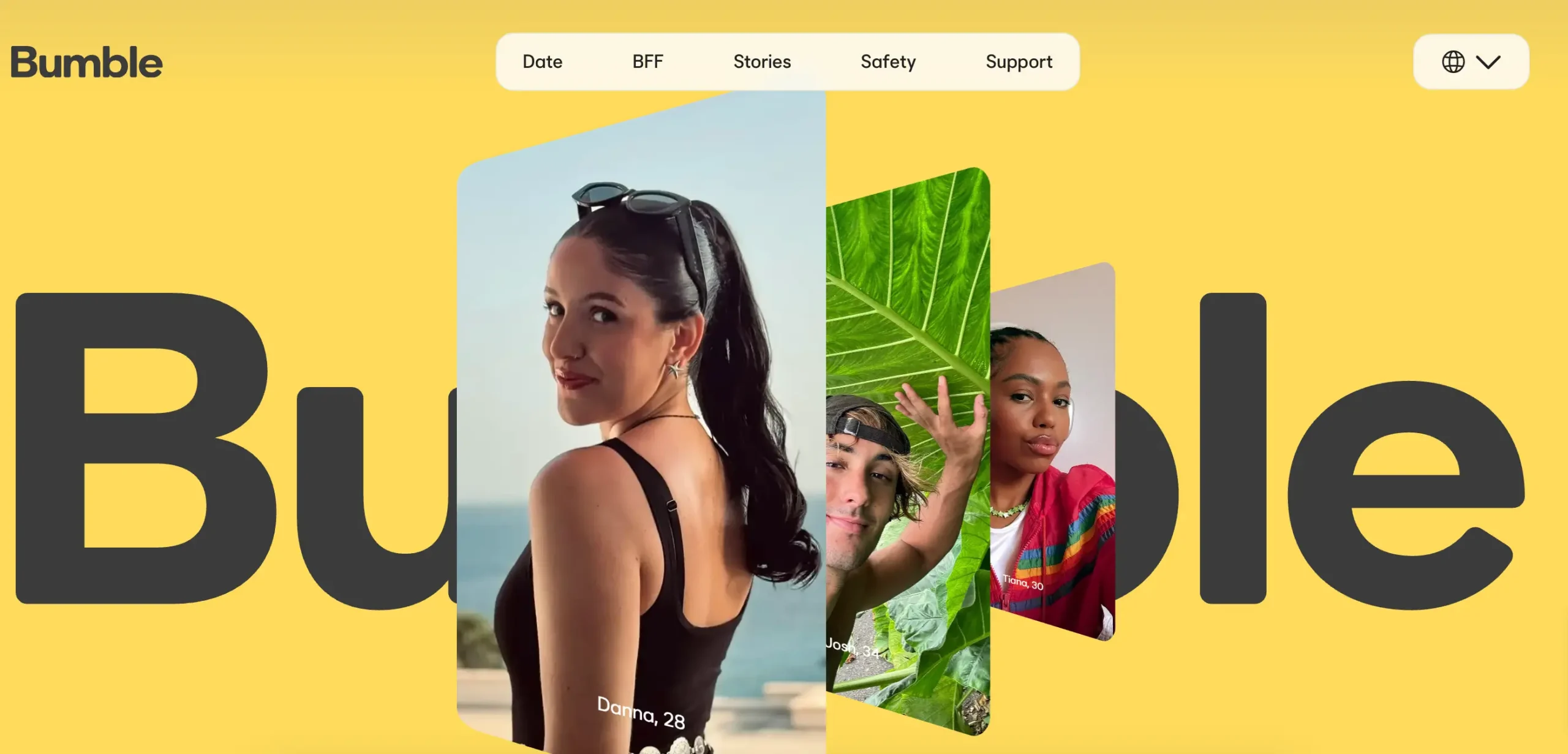
Online dating has shifted away from endless swipe volume toward personal safety, clear relationship expectations, and balanced communication. Operating as one of the largest relationship platforms worldwide, Bumble built its reputation by reversing traditional dating mechanics. Originally known for requiring women to send the opening message in heterosexual pairings, the service has expanded its matching framework with flexible opening prompts, multiple connection modes, and dedicated desktop access.
Whether you want to understand what is Bumble and how does Bumble work, need an overview of the Bumble dating site and mobile client, or want straightforward steps on how to cancel Bumble subscription billing without surprise fees, this guide covers every technical, financial, and strategic element of the platform.
What is Bumble and how does it work?
To answer what is Bumble: it is a location-based social discovery app designed to help users establish romantic relationships, platonic friendships, and professional connections.
Launched in 2014 by Whitney Wolfe Herd, the platform was engineered to address common problems on open dating networks, such as unsolicited opening messages and digital harassment. By establishing clear ground rules for who can initiate contact, Bumble introduced accountability to digital dating.
The platform operates across three independent modes within a single login:
- Bumble Date. The primary matchmaking mode for singles seeking casual dating, serious monogamous partnerships, or marriage.
- Bumble BFF. A dedicated social space for discovering local platonic friends, finding workout partners, and connecting with community hobby groups.
- Bumble Bizz. A professional networking section for mentorship, industry connections, and freelance collaborations.
How matching and conversations start
When two users swipe right on each other’s profile card, an active match is formed. From that moment, strict communication rules apply:
- The 24-hour countdown. When a match occurs, a 24-hour timer starts. If an initial message is not sent within 24 hours, the connection expires and both users disappear from each other’s queues.
- The Opening Moves feature. To reduce message fatigue while maintaining user control, members can select an Opening Move prompt on their profile. When an opposite-gender match forms, either user can answer that prompt to start the chat immediately.
- Same-gender and non-binary pairings. In connections where gender-specific opening rules do not apply, either individual can send the first message within the first 24 hours. After the opening message is sent, the recipient has another 24-hour window to reply and unlock a permanent chat thread.
The three modes: Date, BFF, and Bizz explained
Many dating apps lock users into a single romantic identity. Bumble allows members to switch between different social goals without creating separate accounts:
- Bumble Date features. Displays profiles tailored to romance. Users highlight lifestyle preferences, relationship goals, height, smoking habits, exercise routines, family plans, and political views using standardized badges.
- Bumble BFF features. Replaces romantic criteria with social lifestyle parameters. You can highlight weekend activities, neighborhood interests, pet ownership, and book or film tastes. It is designed for adults relocating to a new city or expanding their local social circle.
- Bumble Bizz features. Functions like a localized professional directory. Profiles showcase digital portfolios, verified resumes, industry skills, and specific networking goals (such as seeking an investment mentor or hiring a local designer).
- Mode switching privacy. You can turn off Bumble Date while keeping Bumble BFF active. This lets singles entering exclusive relationships continue using the app for local friendships without leaving their dating profile visible in the public dating pool.
Bumble dating app vs. Bumble online
The service runs smoothly on both mobile smartphones and desktop web browsers.
The Bumble dating app experience
Available on iOS via the Apple App Store and Android via the Google Play Store, the mobile application provides native features:
- Real-time push notifications for expiring matches, incoming replies, and incoming likes.
- Direct camera roll uploads, audio prompt recordings, and real-time photo verification.
- Built-in WebRTC voice and video calls within active chats, allowing face-to-face conversations without exchanging personal phone numbers or social media handles.
- Live GPS location updates as you travel through different neighborhoods or cities.
Using Bumble online on desktop browsers
Accessed via modern web browsers at bumble.com, Bumble online provides a full-featured desktop web client:
- Comfortable messaging. Drafting longer responses to bio prompts is faster and easier using a physical computer keyboard.
- Large photo inspection. Viewing profile photos on a computer monitor makes it easier to evaluate image quality and spot potential red flags or artificial photos.
- Full account controls. The web dashboard supports swiping, match filtering, and subscription management.
- Low device resource use. Browsing on a desktop saves your smartphone's battery life and lets you manage conversations discreetly while working.
How to build an optimized Bumble profile
The matching system prioritizes profile completeness and thoughtful engagement. Creating a well-structured Bumble profile directly improves your incoming match rate.
High-converting photo strategy
- Clear lead portrait. Your primary image should be a well-lit headshot looking directly into the camera lens. Avoid dark sunglasses, wide hats, heavy shadows, and beauty filters that alter facial features.
- Full-body context. Include at least one authentic, unedited full-length photo taken within the past six months to establish clear physical expectations.
- Lifestyle documentation. Use your remaining slots for photos showing real hobbies, outdoor activities, or travel.
- Skip group photos. Group pictures force other users to guess who you are, which consistently lowers swipe conversion rates.
- Avoid repetitive angles. Do not upload multiple selfies taken from the same angle on the same day. Visual variety gives other users more reasons to swipe right.
Writing effective bios and prompt responses
- Be specific about interests. Avoid generic statements like "I love food and travel." Instead, name specific pursuits, such as "baking sourdough on weekends, training for a half-marathon, and exploring local record shops."
- Choose engaging prompts. Select three questions that make it easy for someone to message you. Prompts that invite lighthearted debate (e.g., "A controversial opinion I will defend is...") work particularly well.
- Set up Opening Moves. Add a clear, fun question so your matches can start conversations without overthinking their opening line.
- Complete photo verification. Submit a quick dynamic selfie in the app to earn a blue checkmark badge, proving your profile is genuine and increasing trust with other singles.
- Fill out profile badges. Complete all lifestyle badges (drinking, exercise, religion, politics, relationship goals). Users frequently filter candidates by these badges, and leaving them blank excludes you from filtered searches.
How the Bumble algorithm ranks your profile
Bumble uses an internal scoring system to determine how often your card appears in local swipe decks:
- Desirability rating. The algorithm tracks how often other active users swipe right on your card versus passing. High-engagement profiles get shown earlier in local feeds.
- Swipe selectivity. Swiping right indiscriminately on every single card triggers automated spam protections, which lowers your card in the local stack. Thoughtful, selective swiping signals genuine human interaction.
- Response habits. Accounts that start conversations quickly and reply regularly stay prioritized over inactive profiles with dozens of unread messages.
- Verification boost. Photo-verified profiles receive higher algorithmic visibility than unverified accounts.
- New user boost. New profiles receive a temporary visibility boost during their first 48 hours to help the algorithm calibrate local interest.
Conversation blueprints: moving from match to real date
Matching is only the first step. Converting a match into an engaging conversation requires thoughtful messaging habits:
- Reference profile details. Open by referencing a specific photo background, pet, or prompt answer. For example: "I saw your photo by the coast—was that a Pacific Northwest trip, or somewhere local?"
- Avoid one-word greetings. Messages like "Hey" or "Hi" receive low response rates because they place the conversational burden entirely on the recipient.
- Use voice notes. Sending a short 15-second audio note within the chat thread adds tone, humor, and personality that flat text cannot convey.
- Move off the app within a week. After exchanging four to six thoughtful messages, propose a low-pressure phone call, video chat, or a casual daytime coffee date. Leaving chats on the app for weeks without meeting leads to conversation fatigue.
Free vs. paid: Bumble subscription tiers and features
Bumble operates on a freemium model. Swiping, basic matching, and messaging mutual connections are completely free. However, users looking for faster matching, extended timers, or expanded search filters can upgrade to a paid plan.
Tier comparison: Free vs. Boost vs. Premium vs. Premium+
| Feature | Free Tier | Bumble Boost | Bumble Premium | Bumble Premium+ |
| Daily Swipes | Standard limit | Unlimited | Unlimited | Unlimited |
| Backtrack (Undo accidental pass) | No | Unlimited | Unlimited | Unlimited |
| Extend Match Countdown | 1 per day | Unlimited | Unlimited | Unlimited |
| Rematch with Expired Contacts | No | Unlimited | Unlimited | Unlimited |
| Beeline (See who liked you) | Blurred | Blurred | Full Access | Full Access |
| Advanced Lifestyle Filters | Basic only | Basic only | Unlimited | Unlimited |
| Travel Mode | No | No | Included | Included |
| Incognito Browsing | No | No | Included | Included |
| SuperSwipes Included | None | None | 5 per week | 10 per week |
| Spotlight Included | None | 1 per week | 1 per week | 2 per week |
| Priority Likes Delivery | Standard | Standard | Standard | Top of Deck |
Understanding Bumble premium cost and package options
Prospective users often ask about the exact Bumble premium cost across different billing terms:
- Bumble Boost. Typically costs ~$14.99 to 19.99foronemonth,withweeklytrialsavailablefor~8.99. It suits daters who want unlimited swipes, Backtrack, and unlimited match extensions without advanced filters.
- Bumble Premium. Generally runs ~$39.99 to 44.99foraone-monthrecurringlicense.Longercommitments(suchasthreemonthsfor~79.99) lower the effective monthly rate to ~26.66permonth.ALifetimemembershipisalsoperiodicallyofferedfor~199.99 to $299.99, eliminating recurring charges altogether.
- Bumble Premium+. Priced at roughly ~$79.99 per month, this high-end plan is designed for users who want algorithmic priority, ensuring their likes land at the top of a match's deck.
- Standalone purchases. Spotlight promotes your card to the front of local feeds for 30 minutes, while SuperSwipes notify someone of your interest before they swipe.
While local matching works well in your immediate city, domestic swipe apps rarely provide the dedicated translation and verification tools needed for cross-border romance. If your goal is to connect safely with verified singles abroad, explore our comprehensive ranking of the best European dating sites for meaningful long-term relationships, where we review verified international platforms designed specifically for cross-border dating.
How location works: GPS vs. Bumble travel mode
Because the platform relies on physical proximity, understanding how the app handles location data helps you manage your privacy and plan ahead when traveling.
Real-time GPS location updates
Under normal use, the app uses your smartphone's built-in GPS alongside cell tower data:
- Check-in updates. Your location updates whenever you open the application. It does not track your movements in the background when closed, protecting battery life and personal privacy.
- Distance radius. You can configure your search radius between 1 and 100 miles (or kilometers). The app draws a perimeter based on your most recent location check-in.
- Commuter matching. If you commute to a nearby city for work, opening the app at your office updates your swipe deck to reflect users near your workplace.
How to change location on Bumble using travel mode
For users who travel frequently for work or want to meet singles in another city before a trip, Bumble travel mode offers an official solution included with Bumble Premium:
- Open the app, tap your Profile tab, and open Settings.
- Scroll to the Location section and tap Travel to....
- Type the city or municipality you want to visit and confirm your choice.
- Your location pin moves to the center of that city, and your feed updates with local singles.
- A "Traveler" badge appears on your profile card, letting locals know you are planning a trip rather than living there permanently.
- Travel Mode stays active for seven days before automatically reverting to your device's live GPS coordinates.
Third-party location spoofers
Some Android users try using third-party mock-location apps to change their city for free. However, Bumble's security systems scan for mock-location flags and hardware discrepancies. Using unauthorized GPS spoofing tools frequently results in an automated shadowban or permanent account suspension.
Safety architecture and privacy safeguards
The platform incorporates several technical safety features to protect users from harassment, catfishing, and digital misconduct:
- Private Detector. Uses automated image recognition to detect and blur potentially explicit photos sent in chat windows. Recipients can choose whether to view the photo, block the user, or submit a safety report.
- Photo verification system. Users complete a quick selfie copying a specific hand gesture shown on screen. The system matches this selfie against uploaded profile pictures before awarding a blue verification checkmark.
- Reporting after unmatching. If an interaction turns uncomfortable and the other person quickly unmatches, you can still report them through your settings history, preventing bad actors from evading review by unmatching first.
- Incognito mode. A Bumble Premium feature that hides your profile from the general swipe deck, making it visible only to users you have swiped right on.
- In-app phone calls. Built-in voice and video calling lets you verify a match's identity and voice cadence before meeting in person, without disclosing your real mobile telephone number.
Safe real-world dating guidelines
Transitioning an online connection into an in-person meeting requires basic safety precautions:
- Choose a public venue. Meet at a busy coffee shop, museum, or casual restaurant during daytime or early evening hours. Never agree to meet at a private residence or secluded outdoor area for a first date.
- Provide your own transportation. Drive yourself or use public transit to and from the date venue. Avoid having a match pick you up from your home address.
- Share date details. Tell a trusted friend or family member who you are meeting, where you are going, and when you expect to return home.
- Keep financial details private. Never send money, wire funds, or assist with financial transactions for anyone you meet online, regardless of the emergency they describe.
Account management: cancellations, pausing, and deletion
Managing your account settings properly ensures you can pause your activity or remove personal data without unwanted subscription charges.
How to cancel Bumble subscription auto-renewal
Deleting the app from your smartphone does not stop recurring billing. Subscriptions must be cancelled through the original payment channel:
Canceling on iOS (Apple App Store)
- Open your iPhone Settings app.
- Tap your Apple ID Banner at the top.
- Tap Subscriptions.
- Select Bumble from your active list.
- Tap Cancel Subscription and confirm.
Canceling on Android (Google Play Store)
- Open the Google Play Store app.
- Tap your Profile Icon in the top right.
- Select Payments & subscriptions → Subscriptions.
- Select Bumble and choose Cancel subscription.
Canceling on Bumble web (credit card / PayPal)
- Log into your account at bumble.com.
- Click your profile avatar in the upper-left corner.
- Select Manage Boost or Manage Premium.
- Select the option to disable auto-renewal and confirm.
Snooze mode vs. permanent account deletion
- Snooze mode. If you need a break or want to date someone exclusively, use Snooze Mode in your settings. You can hide your profile for 24 hours, 72 hours, a week, or indefinitely. Your existing chats remain accessible, but your card will not appear in local swipe decks.
- Permanent account deletion. To erase your data completely, open settings, scroll to the bottom, tap Delete Account, and type the word delete to confirm. This permanently removes your profile, photos, matches, and chat history from live servers.
Contacting Bumble support and troubleshooting
When dealing with technical errors or billing questions, use official customer care channels:
- Online help center. Search support articles and troubleshooting guides at support.bumble.com.
- Direct contact form. Submit formal inquiries regarding billing discrepancies or account recovery at [bumble.com/help-contact](https://bumble.com/help-contact).
- Social media support. The official team on X (formerly Twitter) @BumbleSupport often provides fast initial triage for login errors or photo verification problems.
- No phone support. The company does not operate an incoming customer service phone line. Avoid calling unverified third-party numbers found online, as these are common financial phishing scams.
Strategic summary: is Bumble worth it?
Bumble is an effective, user-friendly dating platform for singles who value clear communication, balanced matching dynamics, and built-in safety tools.
Whether the service fits your routine comes down to three factors:
- Active communication. The 24-hour expiration window helps prevent inactive matches from piling up, making the platform best suited for daters who check their messages regularly.
- Usable free tier. Unlike platforms that lock direct messaging behind expensive paywalls, Bumble allows you to match, chat, and set up dates on a free account without ever entering payment information.
- Flexible relationship intent. With lifestyle badges, prompt questions, and multi-purpose modes (Date, BFF, and Bizz), you can customize your experience to fit your specific goals.
For best results, complete photo verification, choose three engaging prompt questions, set up an Opening Move, and start conversations promptly to make the most of the platform.
Also worth reading: VictoriyaClub Review: Platform Mechanics, Credit Costs, and User Safety

Moreno can easily become your personal dating guru! With a passion for helping individuals navigate the complexities of modern romance, Moreno has dedicated his life to empowering people to find love and fulfillment in their relationships. He knows how cope with dating anxiety, master the art of conversation, and build confidence. Thanks to expert’s articles, you will be able to start meaningful connections and discover lasting happiness. Unlocking your full potential in love and life has never been easier.